Social sizes at a glance
 Download PNG
Design desk / checked 6 October 2026
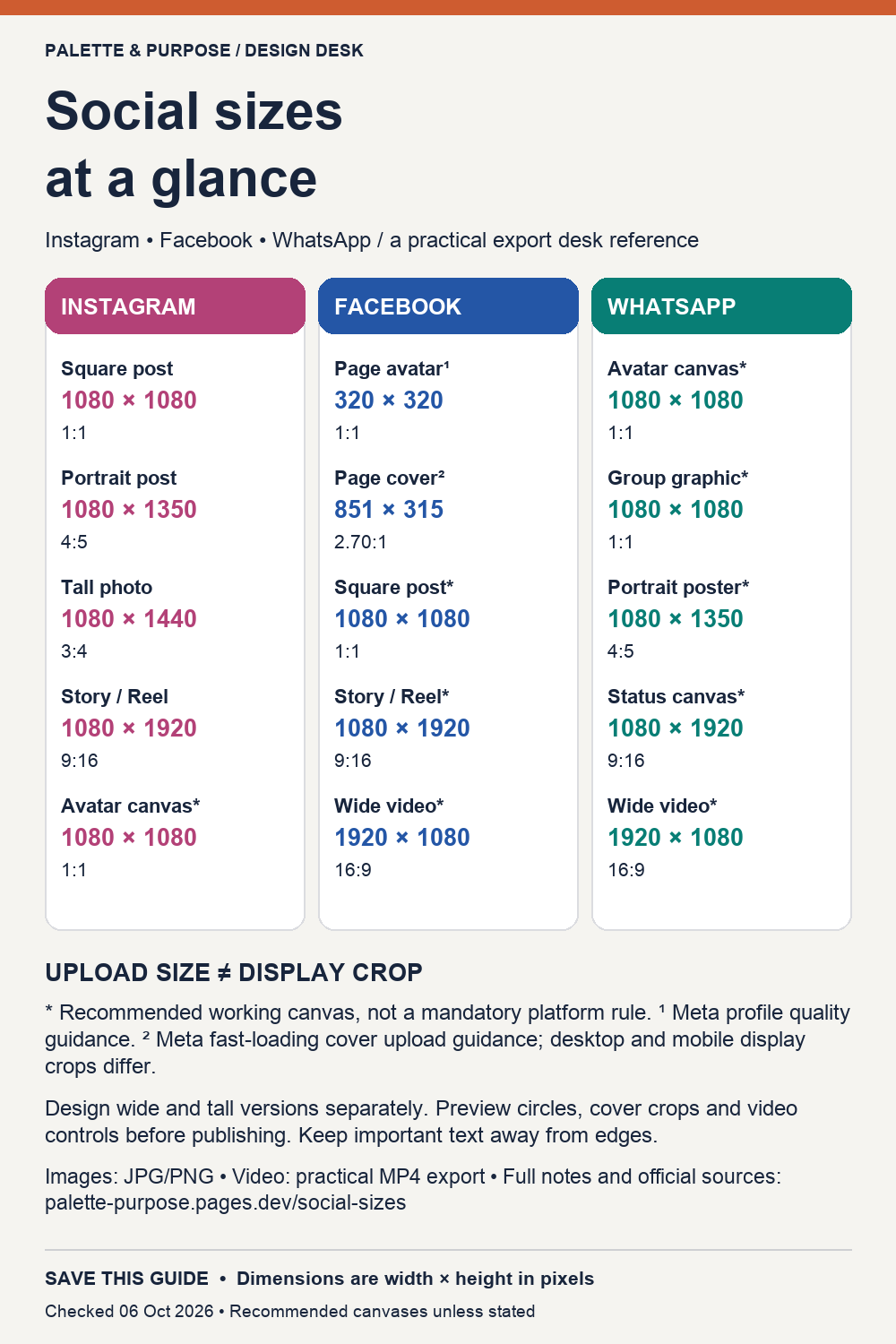
Six visual references for Instagram, Facebook and WhatsApp. Build each layout for its surface, then check the actual app preview.
Download PNG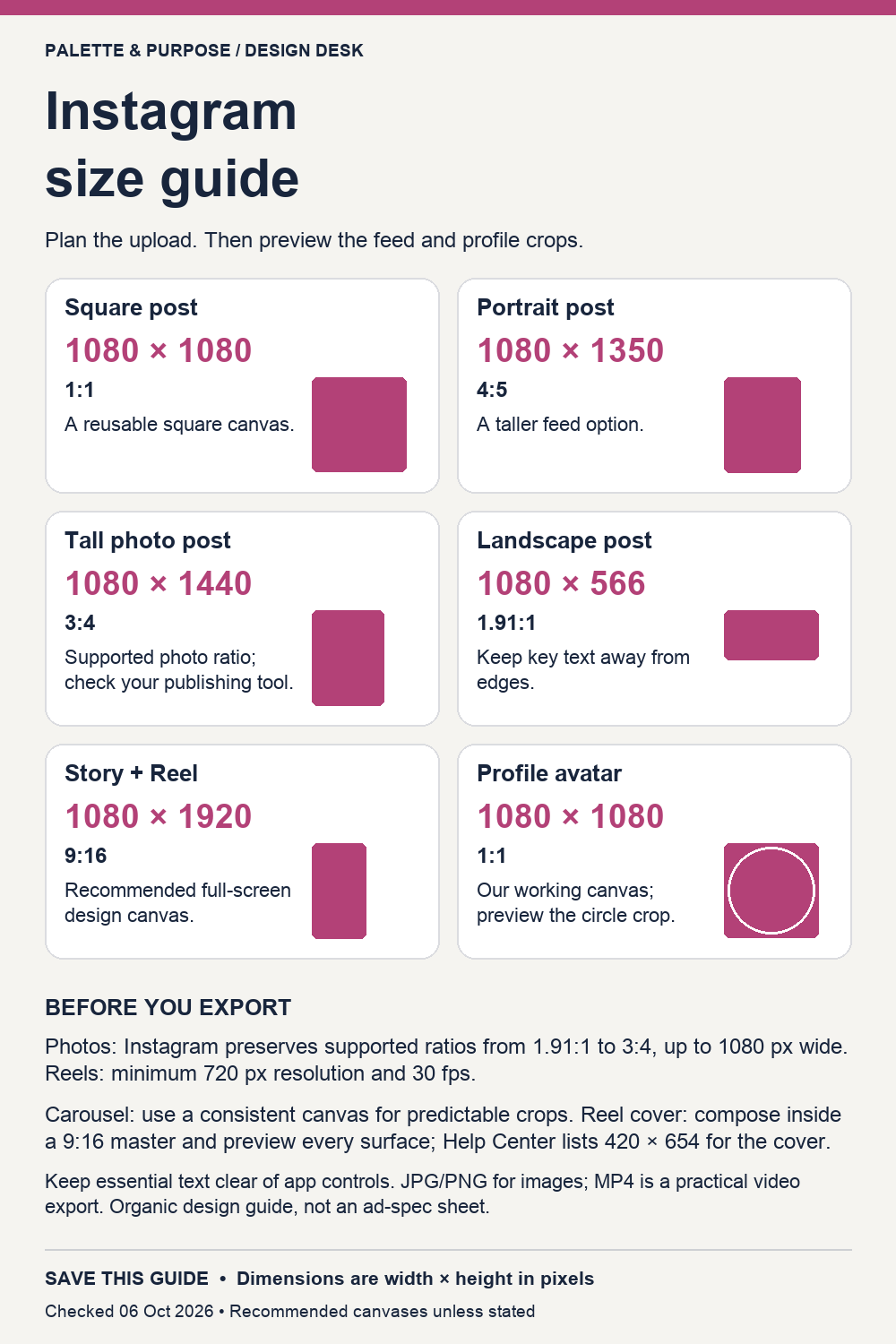 Download PNG
 Download PNG
 Download PNG
 Download PNG
 Download PNG
| Platform | Surface | Canvas | Ratio | What the number means |
|---|---|---|---|---|
| Square photo | 1080 × 1080 | 1:1 | Supported photo canvas | |
| Portrait photo | 1080 × 1350 | 4:5 | Supported photo canvas | |
| Tall photo | 1080 × 1440 | 3:4 | Supported photo canvas; tool support may vary | |
| Landscape photo | 1080 × 566 | ≈1.91:1 | Supported photo canvas | |
| Story / Reel | 1080 × 1920 | 9:16 | Recommended design canvas | |
| Profile source | 1080 × 1080 | 1:1 | Our recommended master; circle crop | |
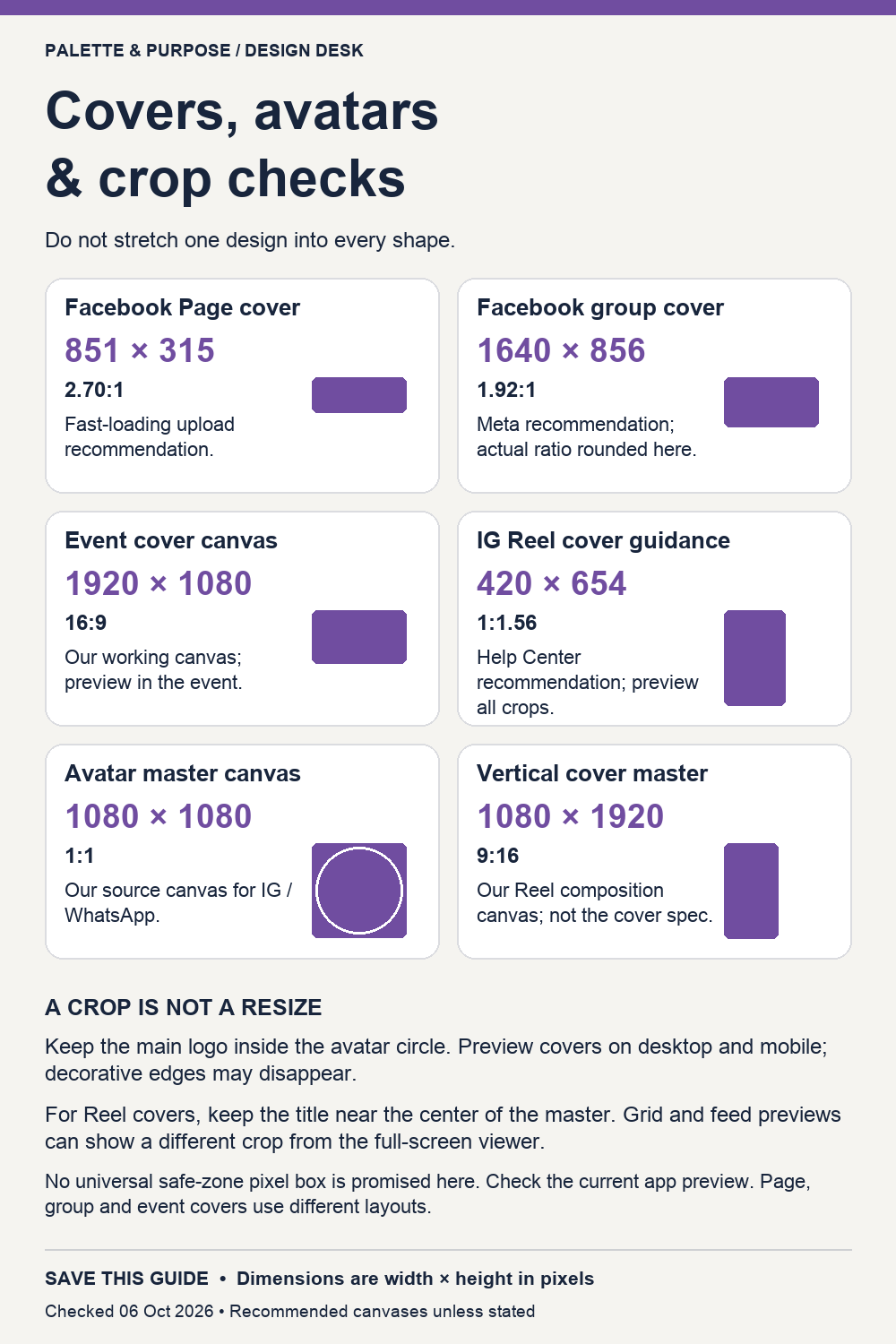
| Reel cover | 420 × 654 | ≈1:1.56 | Help Center cover recommendation | |
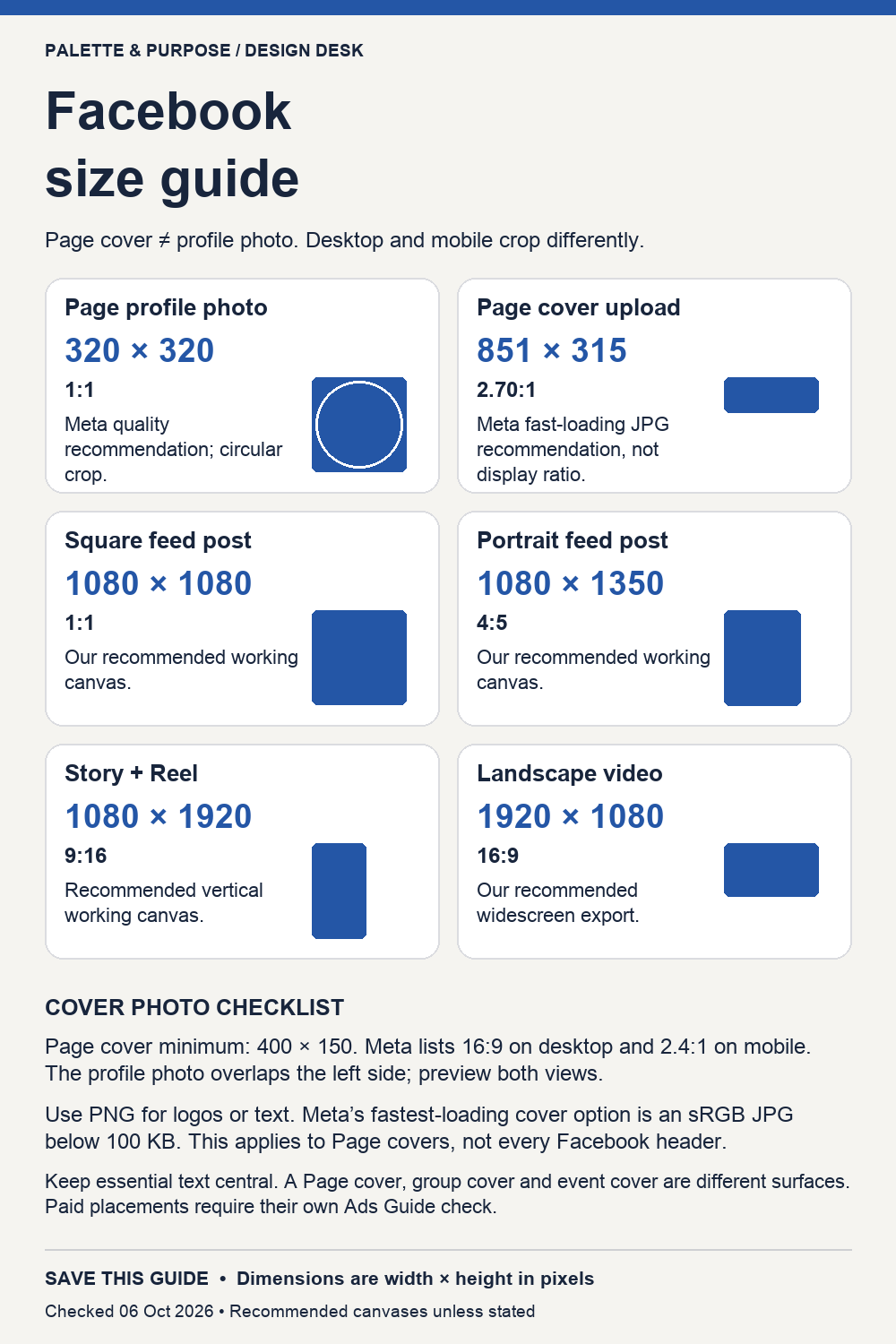
| Page profile | 320 × 320 | 1:1 | Meta quality recommendation | |
| Page cover | 851 × 315 | ≈2.70:1 | Meta fastest-loading upload guidance | |
| Group cover | 1640 × 856 | ≈1.92:1 | Meta recommendation | |
| Event cover | 1920 × 1080 | 16:9 | Our recommended working canvas | |
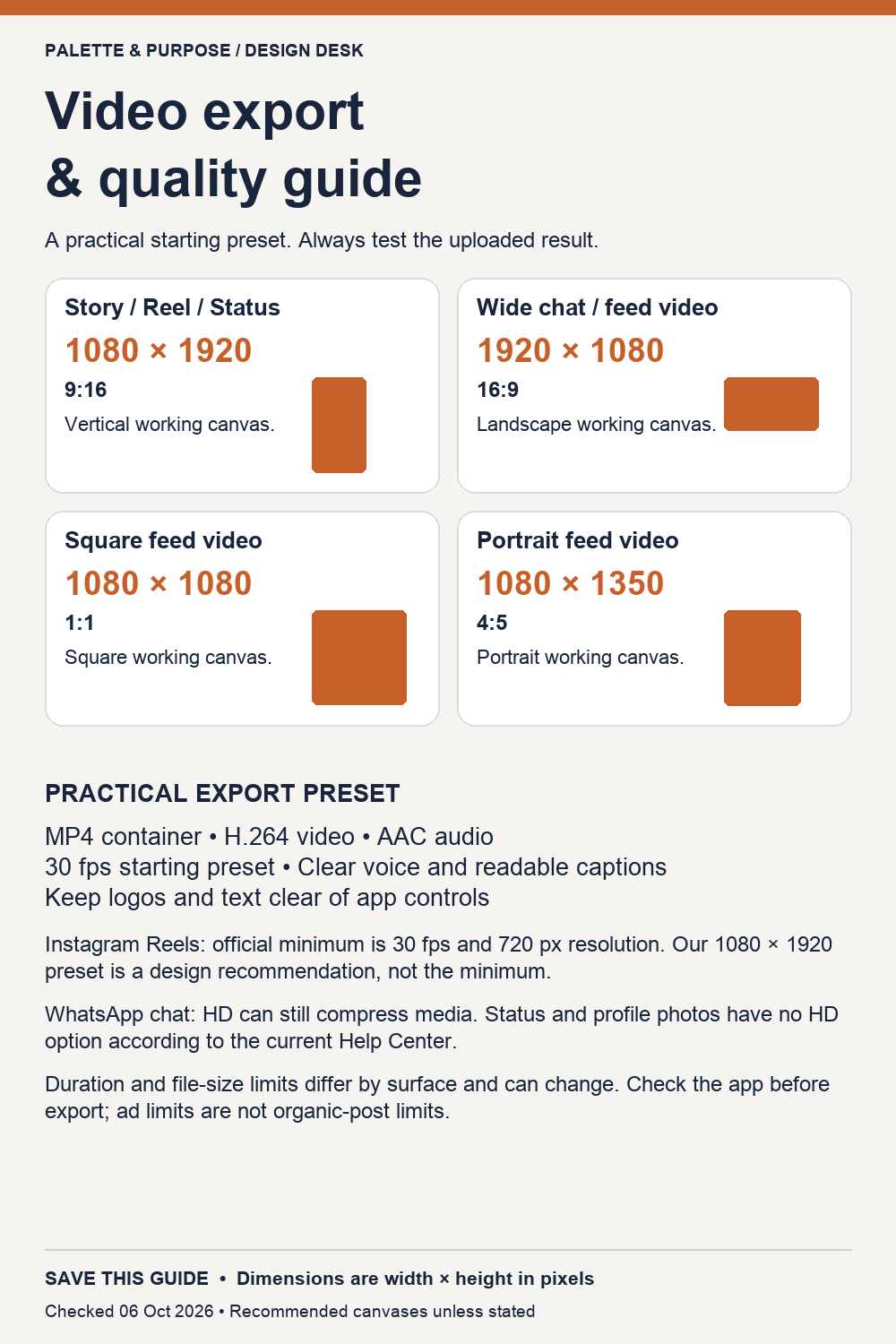
| Square feed | 1080 × 1080 | 1:1 | Our recommended working canvas | |
| Portrait feed | 1080 × 1350 | 4:5 | Our recommended working canvas | |
| Story / Reel | 1080 × 1920 | 9:16 | Our recommended working canvas | |
| Landscape video | 1920 × 1080 | 16:9 | Our recommended working canvas | |
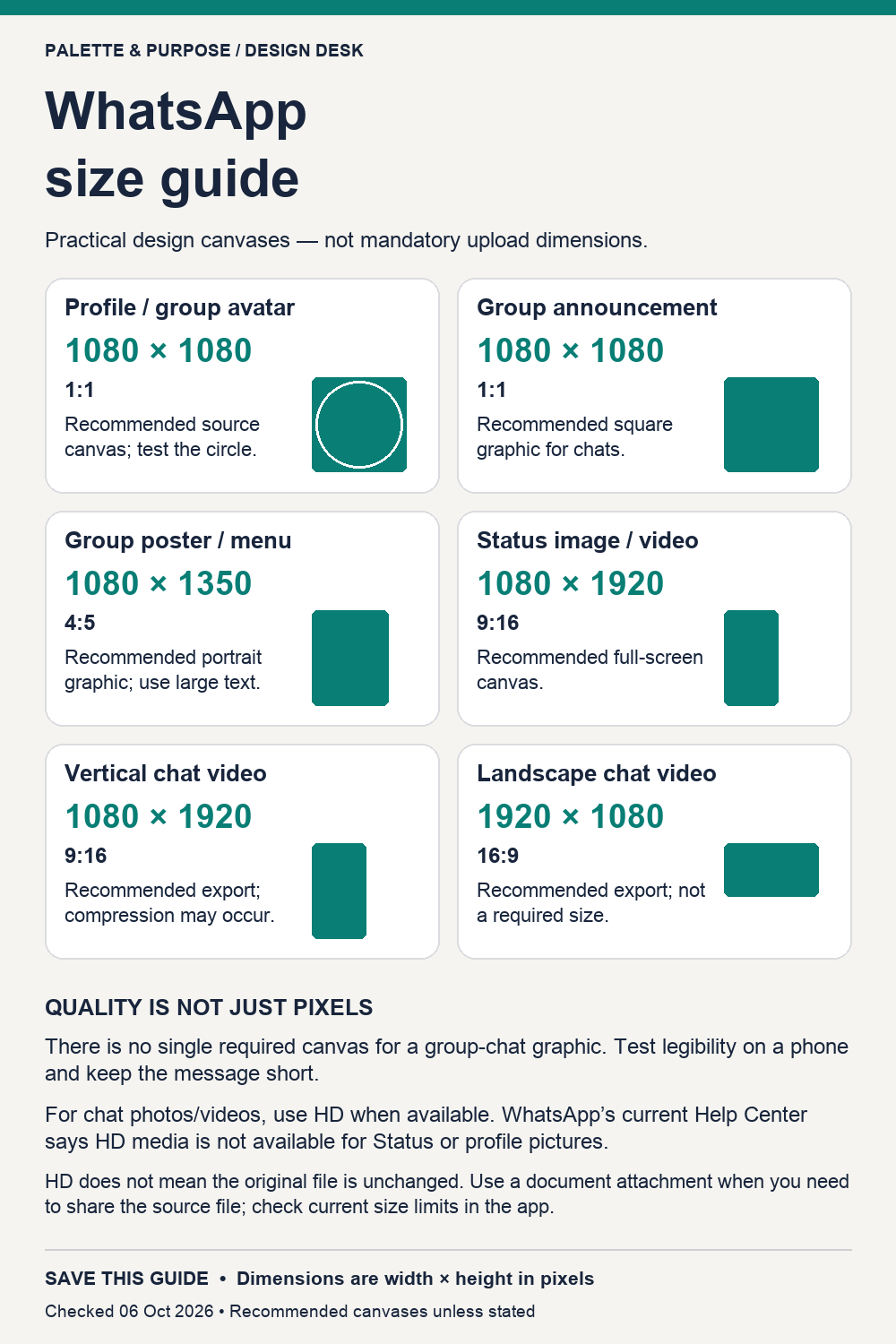
| Profile / group avatar | 1080 × 1080 | 1:1 | Our recommended source canvas | |
| Chat announcement | 1080 × 1080 | 1:1 | Our recommended source canvas | |
| Chat poster / menu | 1080 × 1350 | 4:5 | Our recommended source canvas | |
| Status / vertical video | 1080 × 1920 | 9:16 | Our recommended source canvas | |
| Landscape chat video | 1920 × 1080 | 16:9 | Our recommended source canvas |
Instagram: photo support extends to 3:4. Some publishing tools may lag behind the app. Keep carousel canvases consistent and preview Reel covers in each surface. The minimum Reel guidance is 720 px and 30 fps.
Facebook: a Page cover’s upload file and visible crop are different. Preview desktop and mobile, including the avatar overlap. Group and event covers need separate layouts.
WhatsApp: chat graphics do not need one universal pixel canvas. HD is a chat-quality option, not a promise of an unchanged file. The current Help Center excludes Status and profile photos from HD media.
Video workflow: MP4 with H.264 video and AAC audio at 30 fps is a practical starting preset. Keep key text away from interface controls; test uploaded captions and sound. Duration and file limits vary by destination. Check the current app; do not apply advertising limits to organic posts.
Printing or forwarding a menu? Test it on a small phone. Prefer a short message with a readable headline over a dense screenshot. Send the source as a document when that is the goal, subject to current app limits.
Source facts were read in the official Help Centers on 6 October 2026. Recheck them before a campaign, because interfaces and specifications change.
Meta Stories guidance is linked for its vertical design recommendation; its advertising file limits are not used as organic-post limits here. Event, feed and WhatsApp working canvases are explicitly our recommendations.